Turn input into movement commands
My parser read controller data on the laptop, applied a joystick dead zone, and sent left or right commands over a 9600-baud serial connection. I also contributed to the game code, which used red obstacles, a green player, collision checks, and timed downward movement. The display code used Adafruit graphics and RGB matrix libraries.
Separate input processing from the display
- 01 / LaptopController data → C parser
The parser reads a line of structured input and accepts it only when all eleven fields are present.
- 02 / SerialOne-byte commands
The laptop and Arduino-side sketch communicate at 9600 baud using L and R for movement.
- 03 / DisplayUpdate the game state
The sketch checks the next cell, updates the avatar position, and draws the changed pixels.
My parser: turn an axis value into a direction
I used termios to configure the serial connection and sscanf to read the incoming record. The field named rx controls horizontal movement. A dead zone around zero prevents small joystick variations from generating a movement request.
Input thresholds in the C parser| Component / setting | Value and purpose |
|---|
| rx > 0.6 | Send R to request one cell to the right. |
|---|
| rx < −0.6 | Send L to request one cell to the left. |
|---|
| −0.6 ≤ rx ≤ 0.6 | Send no movement command for that input record. |
|---|
Each qualifying record produces one command, so the incoming record rate affects horizontal movement speed. Keeping the protocol small lets the display code work with directions instead of the full controller data format.
Game logic: one grid, two movement rules
Horizontal movement
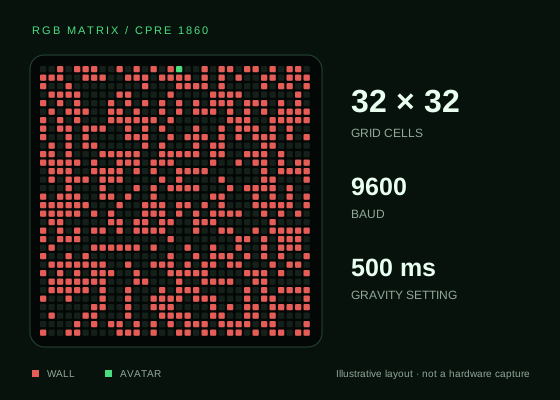
The game stores obstacles in a char MAZE[32][32] array and tracks the avatar separately, starting at column 16, row 0. Before moving left or right, it checks both the display boundary and whether the neighboring cell contains a wall.
Timed gravity
A millis() comparison permits a downward step after more than 500 ms, provided the cell below is open. This avoids pausing the whole loop for a half-second delay and keeps serial input available between gravity steps.
The initial board is drawn once, with red obstacles and a green avatar. Valid movement clears the old avatar pixel and draws the new one. Adafruit GFX and RGB matrix Panel provide the graphics and panel-control routines; my contribution was the parser and portions of the application’s game code.
The supplied generator uses a difficulty setting of 50, giving each cell a nominal 50% chance of becoming an obstacle. It creates a random field rather than guaranteeing a solvable route. The custom 3D-printed housing packages the panel as a physical game display.